n8n Automation: The Easy Way to Stop Doing Boring Work
Some tasks are not hard, just boring. Here is what n8n is, how a workflow works, and the first boring tasks I would hand over to n8n automation.
October 28, 2026
Isaac Lemayian1 min read
Share
Some tasks are not hard. They are just boring. You copy a name from a form into a spreadsheet. You send the same welcome email for the tenth time this week. And on Friday you remind yourself to back up a folder. Of course, each job takes only two minutes. Together, they quietly eat a whole afternoon. n8n automation can give that afternoon back.
That is exactly the kind of work n8n automation is good at. In this post I explain what n8n is and how a workflow works. Then I share the boring tasks I would hand over first. Also, you do not need to know how to code to start.
n8n (you say it “n-eight-n”) is a tool that connects your apps so they can work together without you in the middle. You build a workflow on a simple canvas. In other words, each box is one step. You draw lines between the boxes, and your information moves along those lines.
A few things make it stand out:
It talks to a lot of apps. The n8n website lists more than 500 ready-made integrations, from Gmail and Google Sheets to Slack and WordPress. If an app has an API, you can usually reach it too.
You can run it yourself. The Community edition is free to host on your own server. As a result, your data stays with you.
It has AI built in. You can add a step that sorts, summarises or drafts text. You can also add a human check before anything goes out.
It sits in the same family as Zapier and Make. However, the big difference for me is control. In n8n you can see every step, test it, and decide where it runs.
How n8n automation works, one step at a time
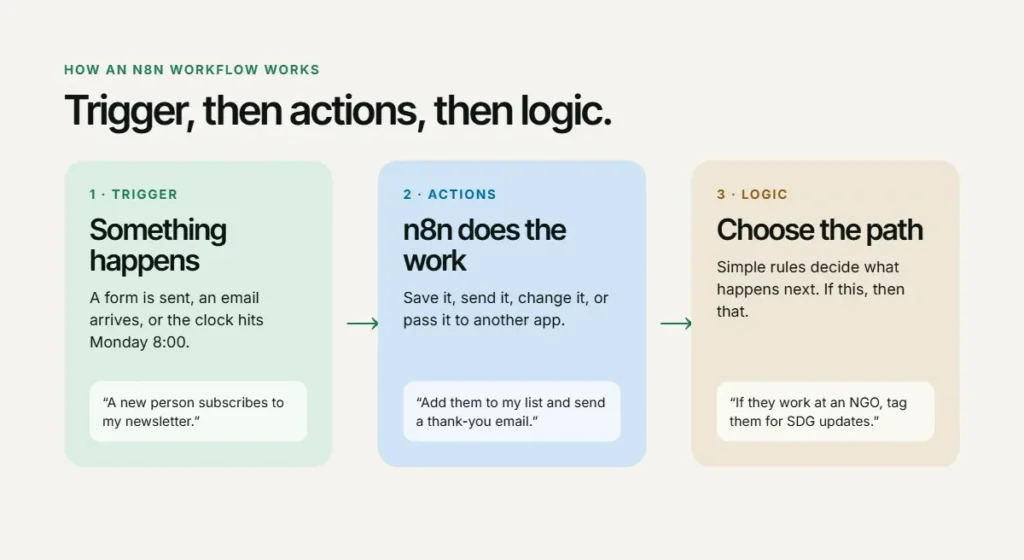
Every workflow follows the same simple pattern.
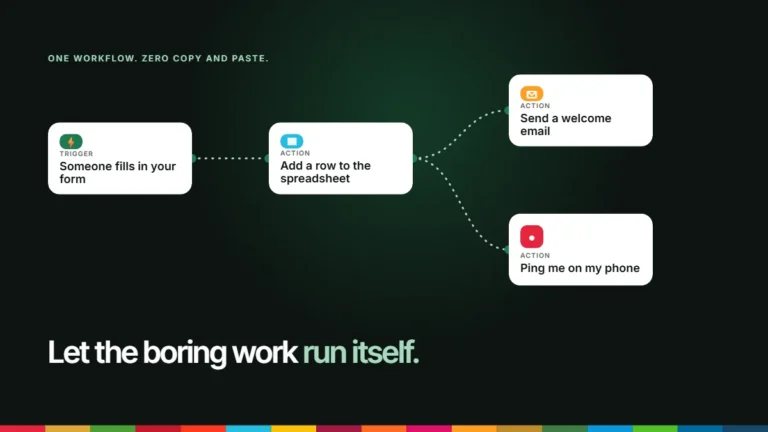
A trigger starts it. Something happens. A form is submitted, an email arrives, or the clock hits 8:00 on Monday.
Actions do the work. n8n saves the information, sends it, changes it or passes it to another app.
Logic picks the path. Simple rules like “if this, then that” let one workflow handle different cases.
That is really all there is to it. Once you start seeing your week as triggers and actions, you notice workflows everywhere.
Every n8n workflow follows the same pattern: a trigger, actions, and simple logic.
7 boring tasks for n8n automation
These are the jobs I would hand to n8n automation before anything else. They are small, they repeat, and nobody will miss doing them by hand.
1. Form entries into a spreadsheet
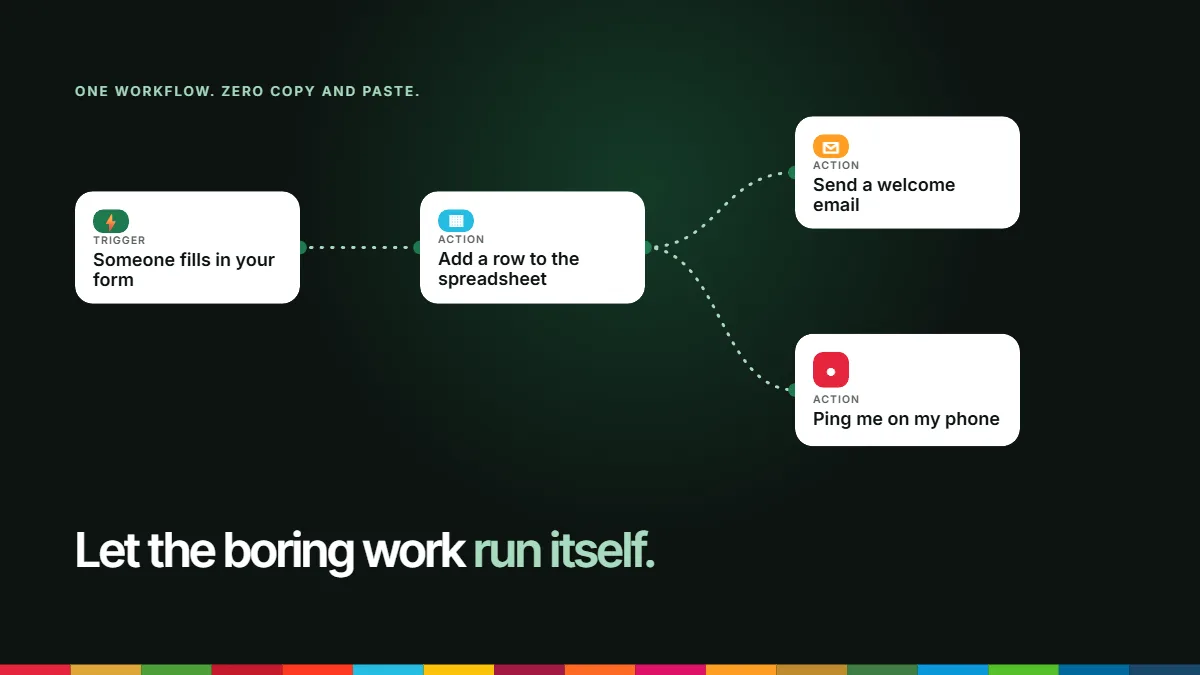
Someone fills in a contact, event, or survey form. n8n adds a new row to Google Sheets and sends you a short alert. In short, no more copying and pasting between tabs. I use this on the karenagc.org website to help the administration catch event registrations first without a lot of hustle.
2. Welcome and thank-you emails
A new person joins your newsletter or registers for an event. Within seconds, they get a friendly email that you wrote once. It still sounds like you, because it is you.
3. A Monday morning summary
Every Monday at 7:30, n8n reads your calendar or task list and sends you one short message with the week ahead. As a result, you start the week knowing what matters.
4. Weekly reports
Pull numbers from a sheet or your website stats, place them in a simple email, and send it to your team every Friday. So the report goes out even when you are busy.
5. File backups
Each night, n8n copies your important folders to Google Drive or another storage space. In fact, you only hear from it if something fails.
6. Sharing new blog posts
When a new article goes live, n8n prepares a draft social post with the title and link. You read it, adjust it and share it. The machine does the setup. You keep the voice.
7. Sorting your inbox
Label invoices, forward receipts to your accountant and flag messages from important partners. That way, your inbox stays tidy without you dragging emails around.
Where n8n automation helps in development work
Most of my work sits in sustainable development and knowledge management, so I often think about automation for programmes and small organisations. Here are some ideas that fit that world well:
Survey data. Send new survey responses from your data collection tool into one clean spreadsheet, with the date and location added.
Partner reminders. Remind partners a week before a report is due, then again two days before, without anyone sending awkward follow-ups.
A news digest. Collect new articles on a topic, such as the SDGs in Kenya, and send the team one short digest each week.
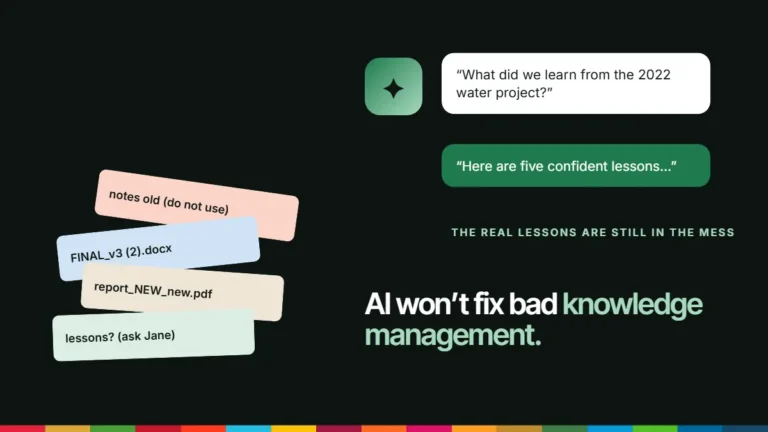
Keeping knowledge in one place. Save every final report into the same folder with the same naming style. In the end, future you will be grateful. I wrote more about why this matters in why development organisations forget what they learn.
Before you automate, ask three questions
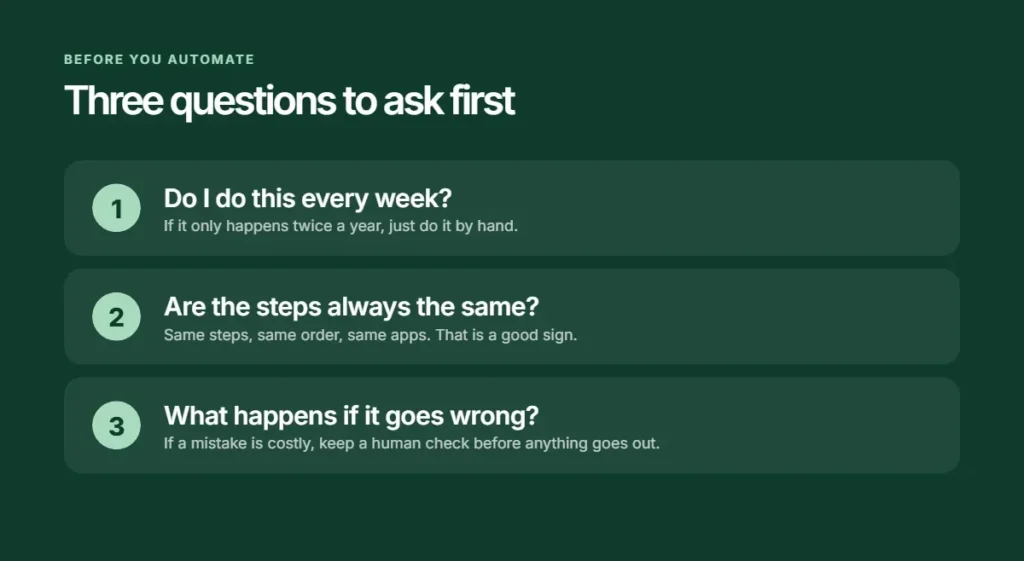
Not every task deserves a workflow. Before I automate something, I ask:
Do I do this often? If it happens every week, it is a good candidate. If it happens twice a year, just do it by hand.
Are the steps always the same? Same steps, same order, same apps. That is also a good sign.
What happens if it goes wrong? If a mistake would be costly or embarrassing, keep a human check before anything is sent.
One more rule: do not automate a messy process. Fix it first, then automate it. Otherwise you just make the mess run faster.
Getting started with n8n automation this week
I learned the basics through a short course on AI automations with n8n from KodeKloud. The best lesson was the simplest one: start small. Here is how I would begin:
Pick one boring task from your week. Just one.
Write the steps on paper. What starts it? What happens next? Where does the information end up?
Open n8n. Try the hosted version, or run the free Community edition if you are comfortable with a server.
Build the trigger and one action. Test it with fake data until it works every time.
Add the next step slowly. Small, tested steps beat one giant workflow that breaks.
The point is not the robots
Automation is not about replacing people. It is about giving people their time back for the work that needs a human: thinking, deciding, listening and talking to partners.
That is the real promise of n8n automation. Let the tool do the copying. You do the thinking.
If you want help working out what to automate in your organisation, get in touch. You can also see what I build on my projects page.
A letter from Nairobi in 2026, to grandchildren who may grow up among the stars, about the planet we had,...
Let’s talk
Ideas are better shared.
If this piece sparked a thought, a question or a disagreement, I’d love to hear it. I am open to conversations around sustainable development, knowledge and digital innovation.